

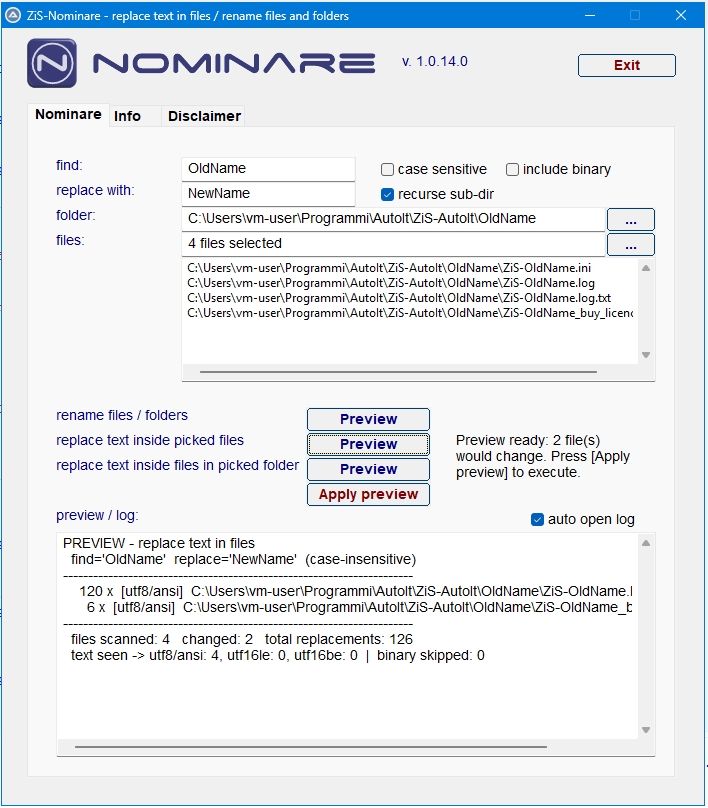
ZiS-Nominare searches for a text and replaces it with another one. It works in three ways, one for each row with a “Preview” button in the Nominare tab:
- rename files / folders: renames the files and folders whose NAME contains the search text.
- replace text inside picked files: replaces the text INSIDE the files picked one by one.
- replace text inside files in picked folder: replaces the text INSIDE all the files of a folder.
Every operation takes two steps:
– PREVIEW: a simulation that shows what would change, without touching anything.
– APPLY PREVIEW: actually writes the changes shown to disk.
Typical use: renaming a project (e.g. “OldProject” -> “NewProject”) both in the content of the files and in the names of files and folders.
Download the ZiS-Nominare program and try it for free.
download ZiS-Nominare
Immagini collegate:
Pagine: 1 2