
 Il programma StartAdmin è un’utilità per avviare programmi su sistema operativo Windows con privilegi di amministratore, pur avendo effettuato l’accesso come utente.
La buona pratica impone che, quando si utilizza Windows, l’utente acceda come “utente” e non come “amministratore”.
Questo aumenta la sicurezza dagli attacchi informatici e impedisce agli utenti, tipicamente in ambiente aziendale, di manomettere il sistema operativo aggiungendo, rimuovendo o modificando programmi.
Tuttavia, alcuni programmi richiedono comunque i privilegi di amministratore.
Come risolvere il problema di consentire agli utenti di accedere a questi programmi mantenendo un elevato livello di sicurezza?
StarAdmin risolve il problema. L’amministratore imposta un elenco di programmi che l’utente può eseguire come amministratore. Per avviare un programma, è sufficiente selezionarlo e fare clic sul pulsante [Start command].
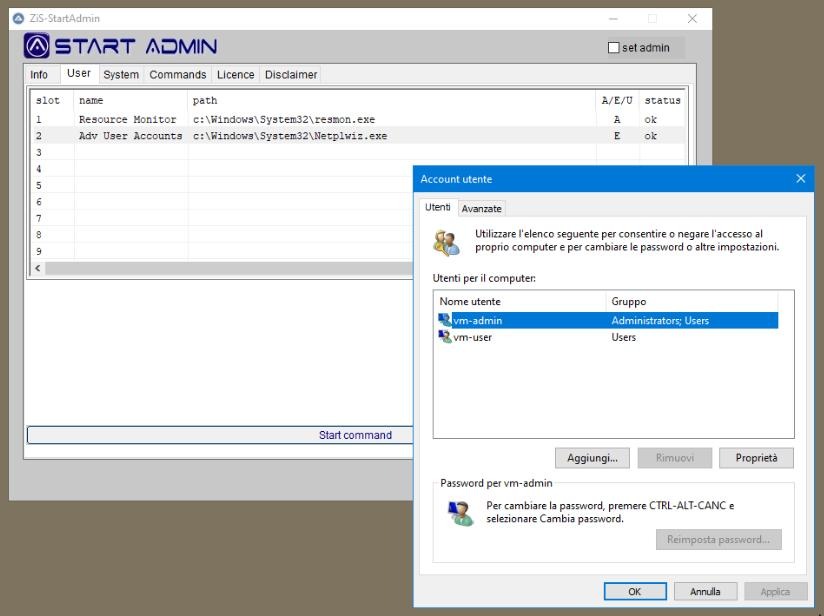
L’utente può accedere solo all’area [User], mentre l’amministratore utilizzerà la propria password per accedere alle aree di configurazione del programma.
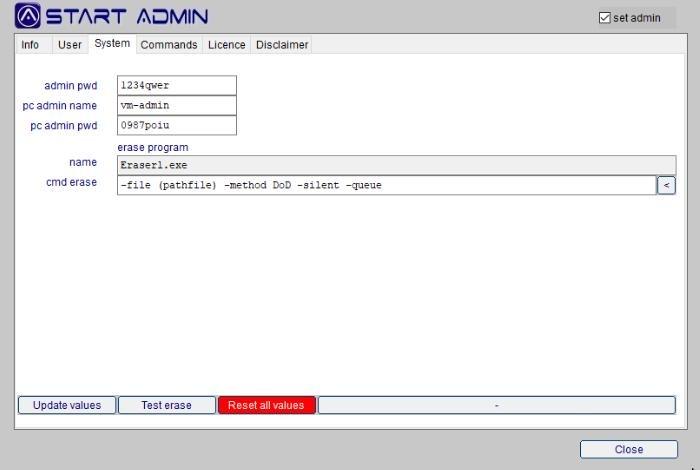
Le password vengono memorizzate in un file crittografato accessibile solo dal programma concesso in licenza per il computer su cui è installato.
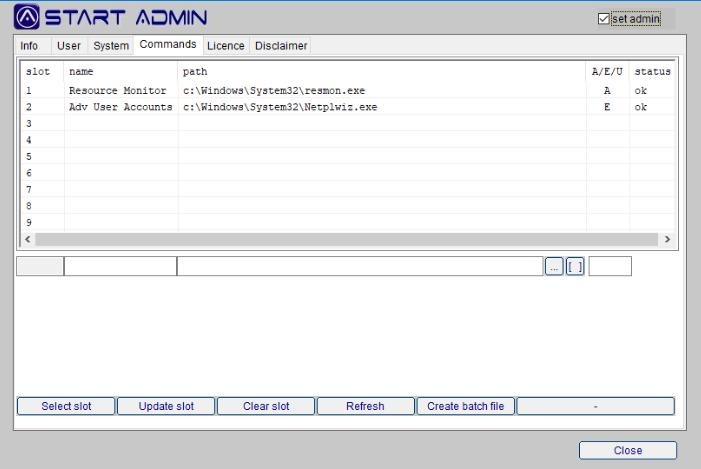
Con il pulsante [Crea file batch] è possibile generare un file *.bat che avvierà automaticamente il programma desiderato senza dover avviare StartAdmin.
Scarica il programma StartAdmin e provalo free per due giorni.
download StartAdminPer ricevere il codice licenza esegui il pagamento e manda una email a info@zis.it con i tuoi dettagli e il codice seriale generato dal programma.
Istruzioni dettagliate sono incluse nel programma al tab [Licence] bottone [Buy licence].