 The StartPC program is a utility that automatically launches a series of commands, primarily intended to be started at user login.
Corporate users tend to modify their work environment (desktop, icons) or forget any procedures that need to be performed at the start of work.
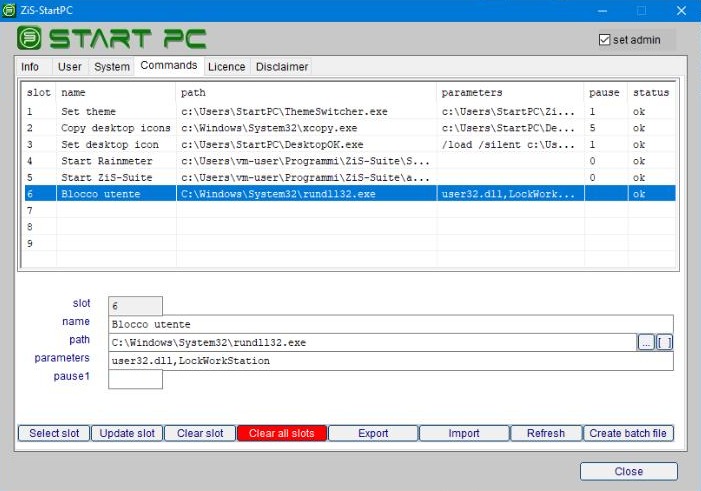
With StartPC, you can automatically launch up to nine different commands in sequence to prepare or reconfigure the work environment each time a user logs in.
For example:
- Setting the corporate background image.
- Copying the standard corporate icons to the [Desktop] folder.
- Arranging the standard corporate icons in the [Desktop] folder.
- Launching standard corporate programs.
- Opening documents that the user needs to view: evening backup log, to-do list, appointments for the day, etc.
The program can be started with the “/all” option to automatically execute all commands in sequence; Typically, you can run it from Windows’ [Task Scheduler] at user logon: Startpc.exe /all
The user can only access the [User] area, while the administrator can access the program’s configuration areas with the administrator password.
To prevent the user from modifying or deleting the program, you can install the program in a folder that requires administrator rights, such as C:\users\StartPC.
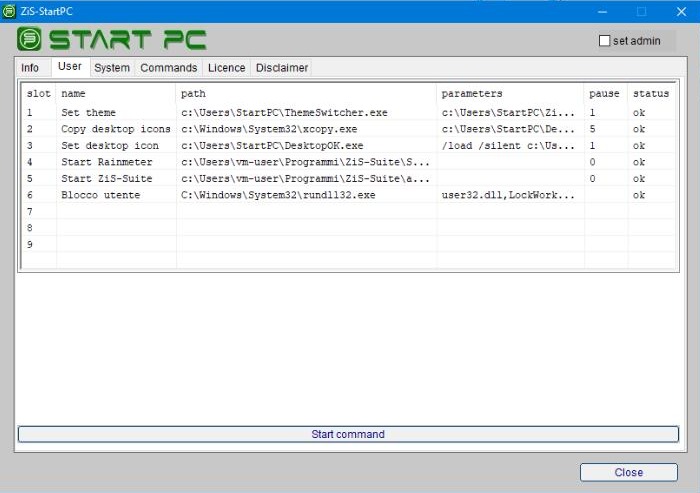
The password and settings are saved in an encrypted file that can only be accessed by the licensed program for the computer where it is installed.
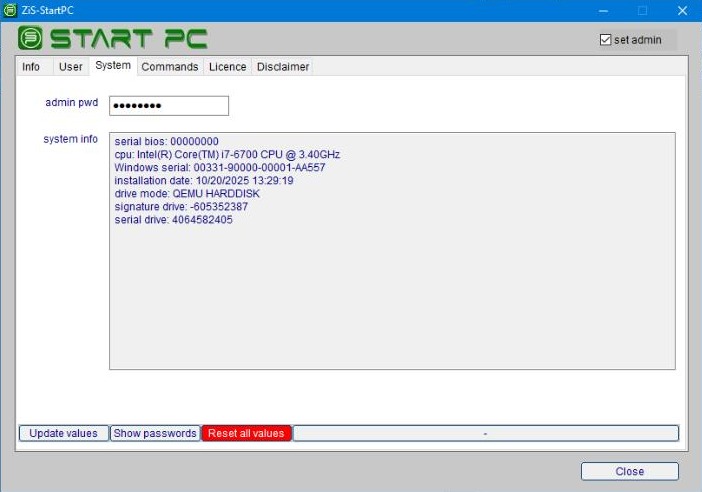
The program pauses for a few seconds between commands to space out the processes.
Download the StartPC program and try it for free for two days.
download StartPCTo receive your license code, complete the payment and send an email to info@zis.it with your details and the serial code generated by the program.
Detailed instructions are included in the program under the [License] tab and [Buy License] button.